Follow the employer's upload instructions before any general resume format advice.
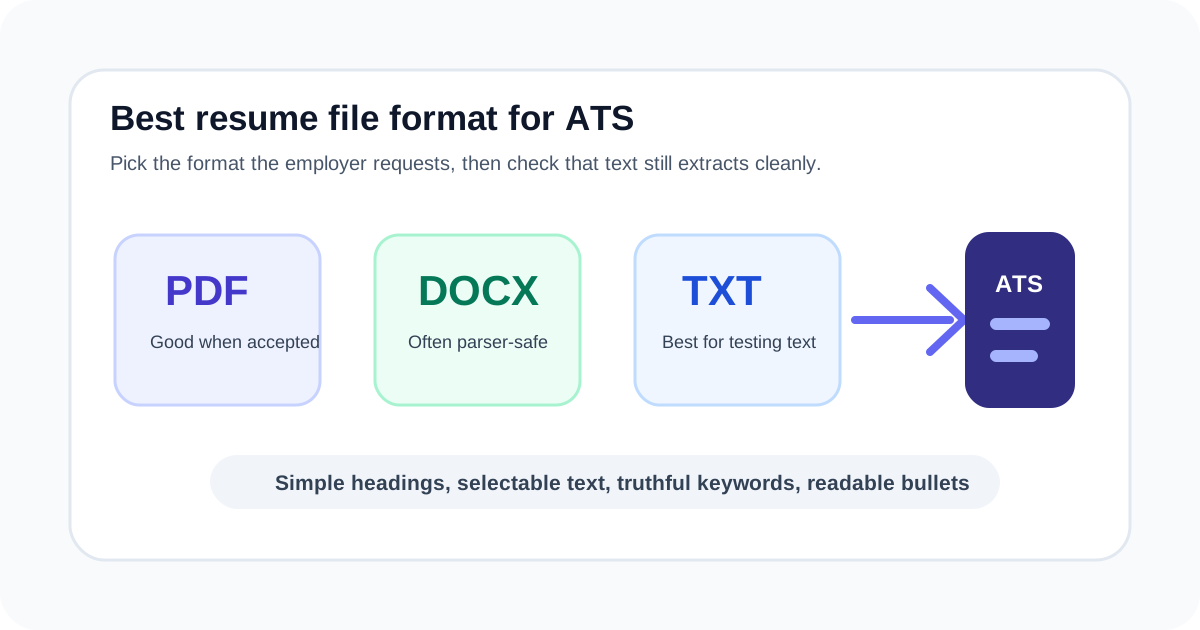
PDF can preserve layout, DOCX can work well for many parsers, and TXT is useful for testing plain-text readability.
The biggest risk is not the extension alone. It is hidden text, scrambled order, images, text boxes, tables, or headers that do not extract correctly.
Start with the employer's instructions
If the application asks for PDF, upload PDF. If it asks for DOCX, upload DOCX. If it restricts file types, do not fight the form. Employer instructions matter more than general internet advice because the employer knows the system they are using.
When there is no instruction, consider how the file will be read. A resume that looks polished but extracts poorly can lose names, dates, skills, or job titles. The safest format is the one that keeps the important content readable in the upload process.
- Read the upload field and job posting before exporting the file.
- Avoid older DOC files unless the employer specifically accepts them.
- Keep a PDF and DOCX version ready so you can match instructions quickly.
- Paste text into a checker or plain-text editor to inspect extraction order.
PDF vs DOCX vs TXT
PDF is useful when you want layout stability, but a PDF made from images or complex design can be hard to parse. DOCX is useful when the application system accepts editable documents and the resume uses simple formatting. TXT is not usually your final upload format, but it is excellent for checking whether the resume still makes sense as plain text.
The practical test is simple: if copied or extracted text reads in the right order, with contact details and headings intact, the file is more likely to be usable by both systems and people.
Resume file format comparison
| Format | Useful when | Watch for |
|---|---|---|
| The employer accepts PDF and you want the layout to stay stable. | Scanned PDFs, image-only text, unusual columns, and hidden contact details. | |
| DOCX | The employer requests Word files or the portal parses DOCX well. | Headers, footers, text boxes, graphics, and heavy tables. |
| TXT | You want to test whether the resume is readable without design. | Plain text may not preserve the final visual layout for human review. |
Formatting choices that survive parsing
Most ATS-friendly formatting is plain: text-based contact details, standard section labels, clear dates, simple bullets, and a reading order that still works without columns. This does not mean your resume must be ugly. It means the important evidence should not depend on design tricks.
If your name is in an image, skills are only icons, or dates sit in a decorative sidebar, a parser may miss them. Use design as support, not as the only place where important information exists.
- Use normal headings such as Experience, Skills, Education, Projects, and Certifications.
- Keep names, job titles, employers, dates, and contact details as selectable text.
- Use standard bullets instead of icons for key achievements.
- Avoid putting critical information only in headers, footers, text boxes, or images.
How to test your resume before uploading
Open the file, copy all text, and paste it into a plain text editor or ApplyReadyCV. If the text appears out of order, missing, duplicated, or full of strange characters, simplify the design before applying.
Then paste the job description into the checker. A format test tells you whether the resume can be read. A keyword and evidence check tells you whether the content matches the job.
- Copy and paste the full resume text.
- Confirm the first lines show your name and contact details.
- Scan section order from top to bottom.
- Check whether dates, job titles, and bullets remain connected.
- Run a job-description match after the text looks readable.
File naming and version control
A clean file name helps you avoid upload mistakes. Use your name, target role, and date or version. Avoid vague names such as resume-final-final or files with another employer's name when applying elsewhere.
Keep your source DOCX, exported PDF, and a plain-text extraction test. That small workflow makes it easier to adapt your resume for future roles without rebuilding from scratch.
- Use a file name such as Jordan-Santos-Customer-Support-Resume.pdf.
- Create separate versions for different role families.
- Do not reuse a file name with the wrong company or role.
- Store the editable source file before exporting the final version.
FAQ
Is PDF or DOCX better for ATS?+
Use the format the employer requests. If no format is specified, both PDF and DOCX can work when the document uses clean, selectable text and simple structure.
Should I upload a TXT resume?+
Usually no, unless the employer requests it. TXT is most useful as a test to see whether your resume text still reads in the right order.
Can a designed resume still be ATS friendly?+
Yes, if the important content remains selectable, logically ordered, and easy to extract. Avoid relying on images, icons, text boxes, or headers for critical details.
Sources and further reading
These references support the research and practical guidance used in this article.