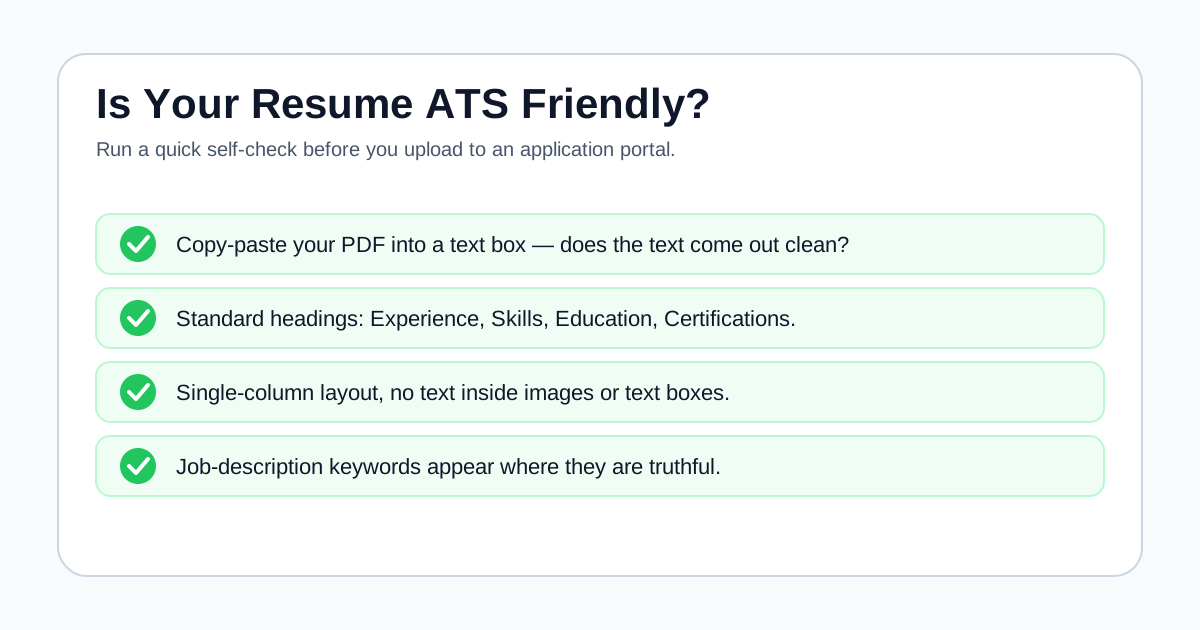
Check whether the text extracts cleanly and sections are easy to identify.
Use standard headings, readable bullets, and supported role keywords.
A clean ATS check does not replace human review or employer-specific requirements.
Step 1: inspect extracted text
Copy the resume text into a plain text editor or paste it into ApplyReadyCV. If important information disappears, appears out of order, or looks scrambled, the file may create parsing friction.
Pay attention to contact details, headings, job titles, dates, skills, and education. Those details should still make sense without the original design.
Step 2: review formatting risks
Complex columns, images, text boxes, icons used as labels, hidden headers, and unusual symbols can make parsing less reliable. Some designs work fine, but the safest version keeps important details as normal text.
Use standard headings such as Experience, Skills, Education, Projects, and Certifications.
- Clear section headings
- Consistent dates and job titles
- Simple bullets
- Readable file export
Step 3: compare keywords with the job post
ATS-friendly does not only mean simple formatting. The resume should also show relevant job-description language where it truthfully matches your background.
Use keywords in the summary, skills, and experience bullets, but avoid stuffing or unsupported claims.
Step 4: test the exported file
The editable document and the uploaded file are not always identical. Export the final PDF or DOCX, reopen that exact file, and check whether headings, dates, bullets, and links still appear correctly. If the employer specifies a format, follow that instruction first.
A plain-text copy is a useful diagnostic, but it is not a simulation of every ATS. The goal is to catch obvious extraction problems before submission and then make sure the same resume still reads well to a person.
Final ATS readability check
| Check | Pass signal | Fix if it fails |
|---|---|---|
| Contact details | Name, email, and phone extract in order | Move important text out of headers or graphics |
| Section headings | Experience, Skills, and Education are recognizable | Use standard text headings |
| Dates and titles | Each role stays paired with the correct employer | Simplify columns and alignment |
| Keywords | Relevant terms appear inside truthful context | Rewrite evidence instead of repeating terms |
Step 5: run an ATS check
Use ApplyReadyCV's ATS checker or ATS score checker to review common readability, keyword, clarity, and completeness signals. The report gives editing guidance, not a promise.
After editing, run another check and review the resume as a human recruiter would.
FAQ
Can I know for sure if my resume will pass an ATS?+
No. You can reduce common risks, but employers use different systems and settings.
Is PDF or DOCX better for ATS?+
Follow the employer's instructions. If either is accepted, test whether the text extracts cleanly from your chosen file.
Does an ATS-friendly resume need to be plain?+
Not always. The important information should remain readable, extractable, and easy for humans to scan.
Sources and further reading
These references support the research and practical guidance used in this article.