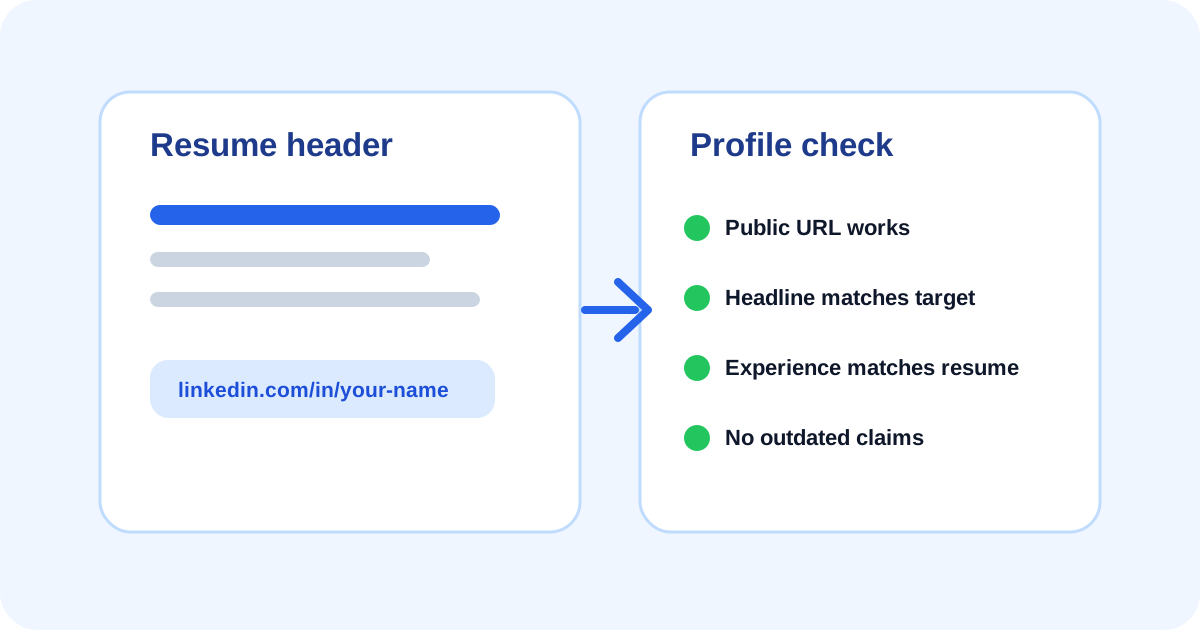
Put LinkedIn in the resume header only when the profile supports the application.
Use a clean public profile URL and check what non-connections can see.
Make the resume and LinkedIn profile consistent on names, roles, dates, skills, and target direction.
When to include LinkedIn on a resume
Include LinkedIn when your profile makes the application stronger. This is common for professional, remote, freelance, technical, marketing, operations, admin, customer success, and leadership roles where recruiters may look for extra context.
Skip it or update it first if the profile is empty, inconsistent, inactive in a way that hurts trust, or shows a career direction that conflicts with the role you are applying for.
- Include it when the profile is current and professional.
- Include it when it adds projects, recommendations, portfolio links, or role context.
- Update it first if old roles, dates, or titles conflict with the resume.
- Skip it when it exposes personal information you do not want employers to review.
Where to put the LinkedIn URL
Place the LinkedIn URL in the resume header near your email, phone, city, portfolio, or website. Do not bury it in the footer or a decorative area that may not extract well.
Use a readable format. A full URL is often safer than only writing LinkedIn because it remains useful if the resume is printed, converted, or copied into another system.
- Header line: Name | Email | Phone | City | LinkedIn URL.
- Use a clean URL that starts with linkedin.com/in/ when available.
- Avoid long tracking links or copied URLs with unnecessary parameters.
- Check that the link works after exporting to PDF.
Clean up the public profile before linking
A custom LinkedIn URL is easier to read and share. LinkedIn allows members to view and manage public profile URLs, but availability and change limits apply. Choose a version tied to your name or professional brand when possible.
Also check public visibility. Some profile sections may be hidden from people who are not signed in or connected. Open the profile from a private browser session so you can see what an employer might see.
- Confirm the public URL works.
- Customize the URL if a clean version is available.
- Review public visibility settings.
- Update headline, About, Experience, Skills, and portfolio links.
- Remove outdated or unsupported claims.
Make LinkedIn and the resume tell the same story
The resume should be the focused application document. LinkedIn can give broader context, but it should not contradict the resume. If your resume says customer support specialist and LinkedIn says aspiring data analyst, the reader may not understand your current direction.
Consistency does not mean copying every bullet. It means the same person, timeline, skills, and target direction are visible across both places.
LinkedIn and resume consistency check
| Item | Check | Fix if needed |
|---|---|---|
| Name | Same professional name or an explainable variation. | Use one consistent version across resume, LinkedIn, and email. |
| Headline | Matches the target role or broad role family. | Rewrite vague or outdated headlines before applying. |
| Experience dates | No unexplained conflicts with the resume. | Update dates or clarify contract, freelance, or part-time work. |
| Skills | Important resume keywords also appear on the profile when truthful. | Add supported skills and remove old terms that no longer fit. |
Use the checker after updating the header
After adding LinkedIn, run the resume through ApplyReadyCV. Confirm the link appears in the extracted text and that the resume still scores well for completeness, job-description keywords, achievements, and application fit.
A LinkedIn URL is a support signal. It does not replace strong resume evidence, and it should not be used to hide missing proof in the actual resume.
- The LinkedIn URL appears near other contact details.
- The resume remains easy to scan without clicking the link.
- Profile dates and role direction match the application.
- Portfolio links are relevant, current, and professional.
FAQ
Should I include LinkedIn if my profile is not updated?+
Update it first or leave it out. An outdated profile can weaken trust if it conflicts with the resume or target role.
Is a custom LinkedIn URL required?+
No, but a clean custom URL is easier to read and share. Use it if available and make sure it still opens correctly.
Can LinkedIn replace a portfolio link?+
Usually no. LinkedIn can support your profile, but designers, developers, writers, marketers, and freelancers may still need a direct portfolio or project link.
Sources and further reading
These references support the research and practical guidance used in this article.